Unblur photos and upscale them to 4K
To unblur a photo with NeedPS, upload it and choose Enhance 4K. The AI rebuilds real detail in eyes, hair, fabric and backgrounds and raises the resolution up to 4K, so a soft or pixelated picture comes back sharp enough to print.
This is the tool for the important photo that came out wrong: a childhood picture, a shot taken from far away, a low-light photo full of noise, or an image that lost its quality after being forwarded through messaging apps a few times.
Upscaling here is more than stretching pixels. Plain resizing gives you a bigger, blurrier file. AI upscaling fills in detail as it enlarges, and it is built to keep faces recognizable instead of inventing new ones.


Last updated: October 7, 2026
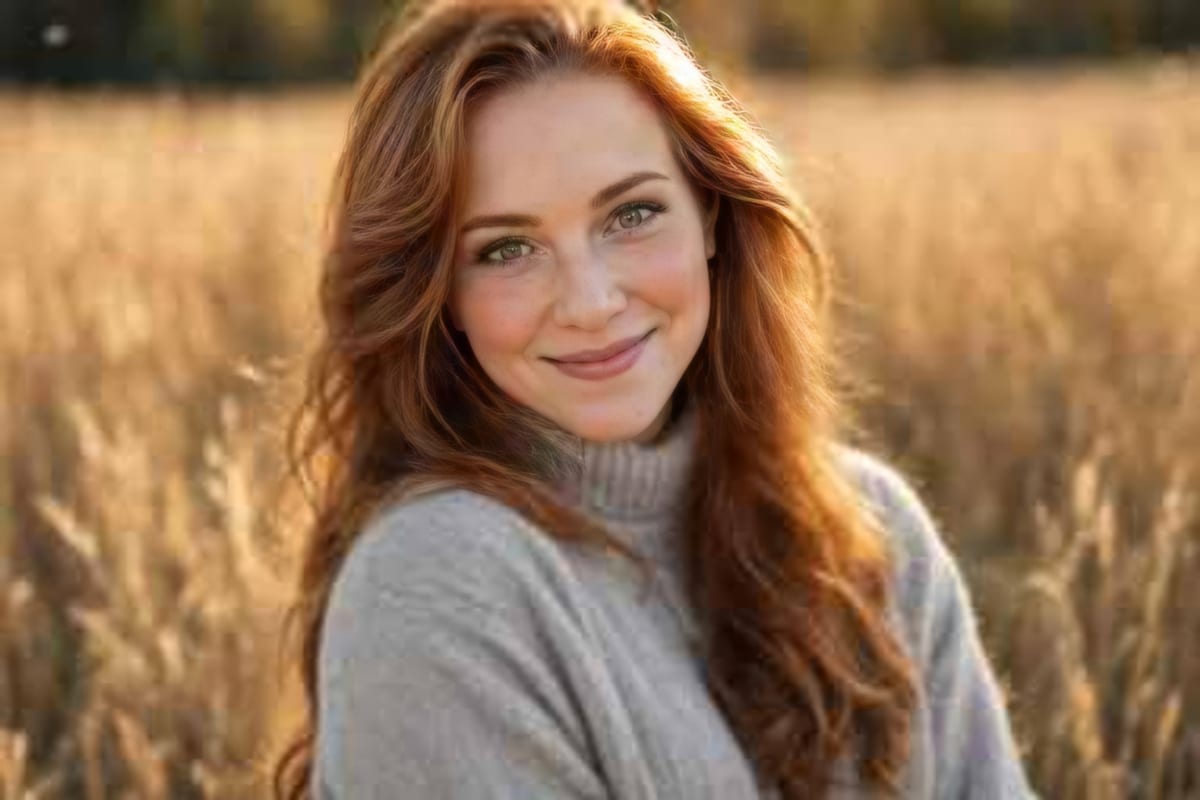
See the difference
Drag the slider to compare the same photo before and after. Example photos created by the NeedPS team.
How it works in 3 steps
- 1
Upload the photo
Any resolution, any source, including photos squashed by messaging apps.
- 2
Choose Enhance 4K
Detail and sharpness are rebuilt across the image.
- 3
Save a sharp result
High resolution, ready to print, enlarge or frame.
What you get
- Sharper faces and detail without a plastic look
- Resolution up to 4K, for large prints
- Rescues photos compressed by social networks and messaging apps
- Pairs well with Restore for old family photos
Frequently asked questions
How do I unblur a photo?
Upload it to NeedPS and choose Enhance 4K. The AI rebuilds detail in eyes, hair and textures and returns a sharper, higher-resolution photo.
How large can I upscale a photo?
Up to 4K, which is enough for large prints and framing. The better the original, the further you can go.
Does it work on screenshots and photos sent through messaging apps?
Yes. Photos that lost quality when they were compressed and forwarded are one of the most common things people fix with it.
Will faces change when the photo is sharpened?
The tool is built to keep facial features recognizable. The goal is the same photo, only sharper. If something looks off, run it again.
What is the difference between resizing and AI upscaling?
Resizing stretches the existing pixels, so the image gets bigger and blurrier. AI upscaling adds detail while it enlarges, so the photo stays sharp at the higher resolution.
Is it free to try?
Yes. You can try NeedPS without an account, and signing up adds free edits. Free edits work on every tool. After that you can buy credit packs or choose a plan in the app, priced by your app store in your local currency.
Ready to try it on your own photo?
Download NeedPS, upload a photo and type what you want. Stuck? Real people answer support.