Remove a person from a photo: just type who should go
To remove a person from a photo with NeedPS, upload the picture and type who should go, for example "remove the man in the red cap on the left". The AI erases them and rebuilds what was behind them, whether that is a wall, a beach or a busy street. No brushes, no layers, no Photoshop.
It handles the classic cases: a stranger who walked into your shot, a crowd of tourists in front of a landmark, or someone you would rather not see in a family photo anymore. Remove one person or several, in a single request or one at a time.
Because you describe the edit in words, you never trace anyone's outline. Write your request in English or in whatever language you think in, and NeedPS works out who you mean.


Last updated: October 7, 2026
See the difference
Drag the slider to compare the same photo before and after. Example photos created by the NeedPS team.
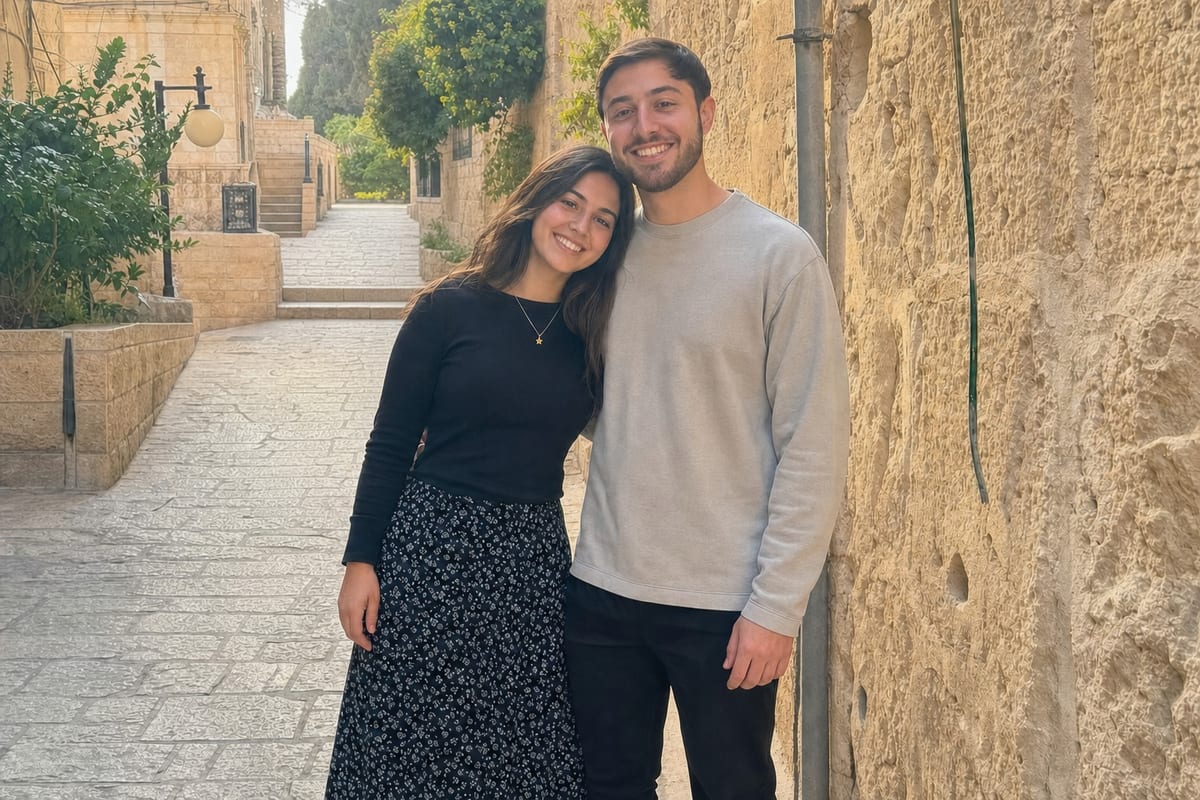
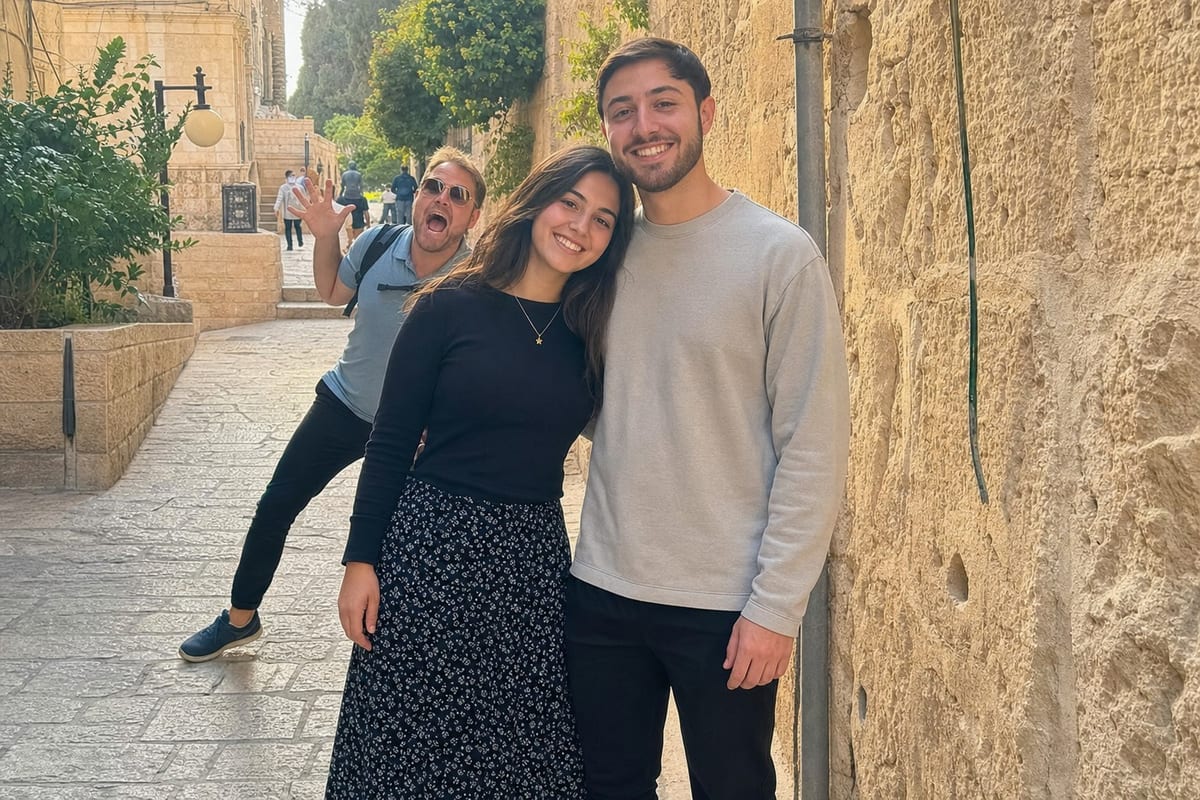
How it works in 3 steps
- 1
Upload the photo
From your camera roll. Any ordinary photo works.
- 2
Type who should go
For example: "Remove the woman in the blue jacket behind us." Be as specific as you like.
- 3
Save the result
The background is rebuilt where they stood. Not quite right? Rephrase and run it again.
What you get
- The background is rebuilt, not smeared
- The people you keep are built to stay recognizable
- Works on group shots, travel photos and event pictures
- No selection tools: describe it in any language
- Each result can be the starting point for the next edit
Frequently asked questions
How do I remove a person from a photo without Photoshop?
Upload the photo to NeedPS, type who should go (for example "the man in the grey hoodie on the right"), and the app removes them and fills in the background. There is nothing to learn and no outline to draw.
Can I remove people from the background of a photo?
Yes. Type something like "remove all the people behind us" and NeedPS removes the figures behind your main subject and rebuilds the scene. For a very crowded background, two passes often give a cleaner result.
Can I remove more than one person?
Yes. Describe several people in one request, or remove them one at a time. Each result becomes the base for the next edit, which gives you more control.
Will the other people in the photo change?
The edit is aimed only at the person you describe, and NeedPS is built to keep the remaining faces recognizable. AI results can vary from run to run, so if anything looks off, run it again or rephrase.
What about shadows and reflections?
If they are left behind after the first pass, mention them in your request, for example "and her reflection in the window".
Is it free to remove a person from a photo?
Yes. You can try NeedPS without an account, and signing up adds free edits. Free edits work on every tool. After that you can buy credit packs or choose a plan in the app, priced by your app store in your local currency.
Does it work on iPhone and Android?
Yes. NeedPS is an app for iPhone and Android, with its menus in English.
Ready to try it on your own photo?
Download NeedPS, upload a photo and type what you want. Stuck? Real people answer support.