See a renovation, garden or new interior on a photo of your own space
To visualize a renovation with NeedPS, take a regular photo of the room, yard or storefront, mark the area you want to change and describe it: "olive green walls", "light oak flooring", "artificial grass and a pergola". You get a realistic visualization on your own photo, from the same angle and in the same light.
Unlike inspiration photos of someone else's home, you see the change on your actual space before you spend money on it, and you can try several directions on the same photo and compare them.
It is useful for homeowners deciding between options and for pros who want to show a client the result before the work starts: contractors, gardeners, interior designers and real estate agents.


Last updated: October 7, 2026
See the difference
Drag the slider to compare the same photo before and after. Example photos created by the NeedPS team.
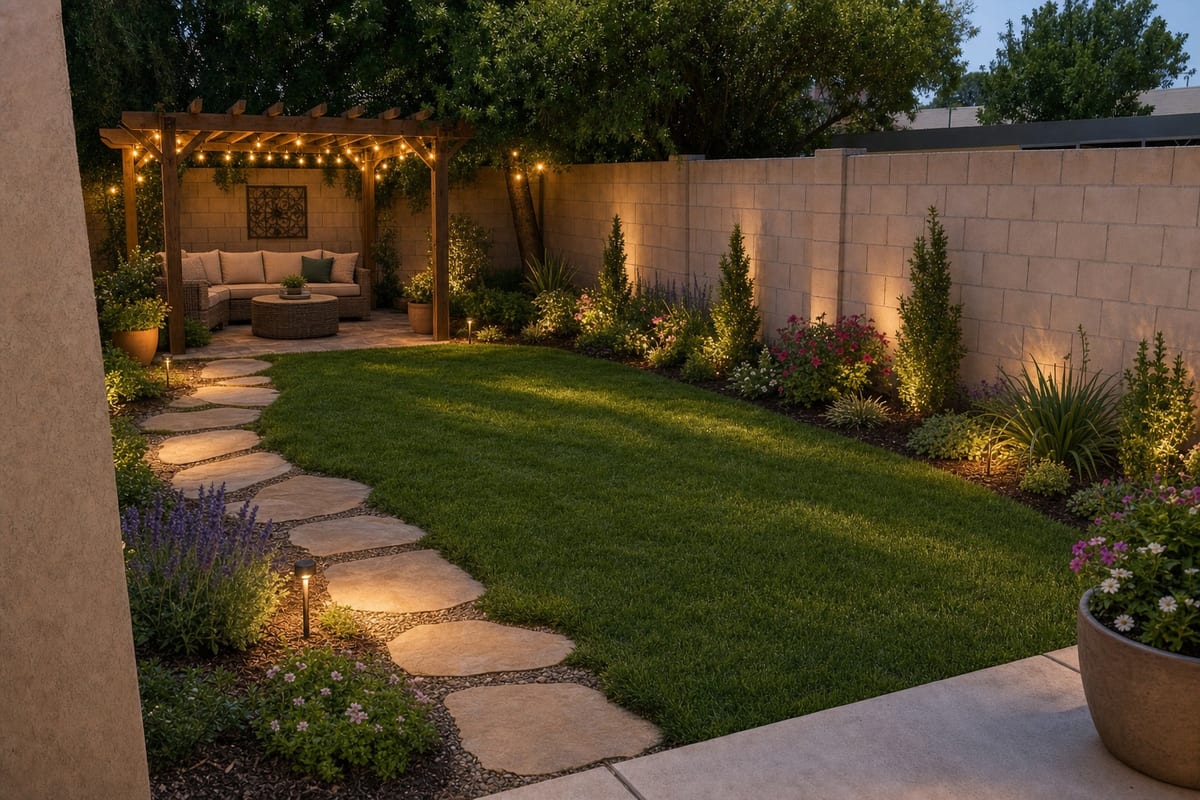
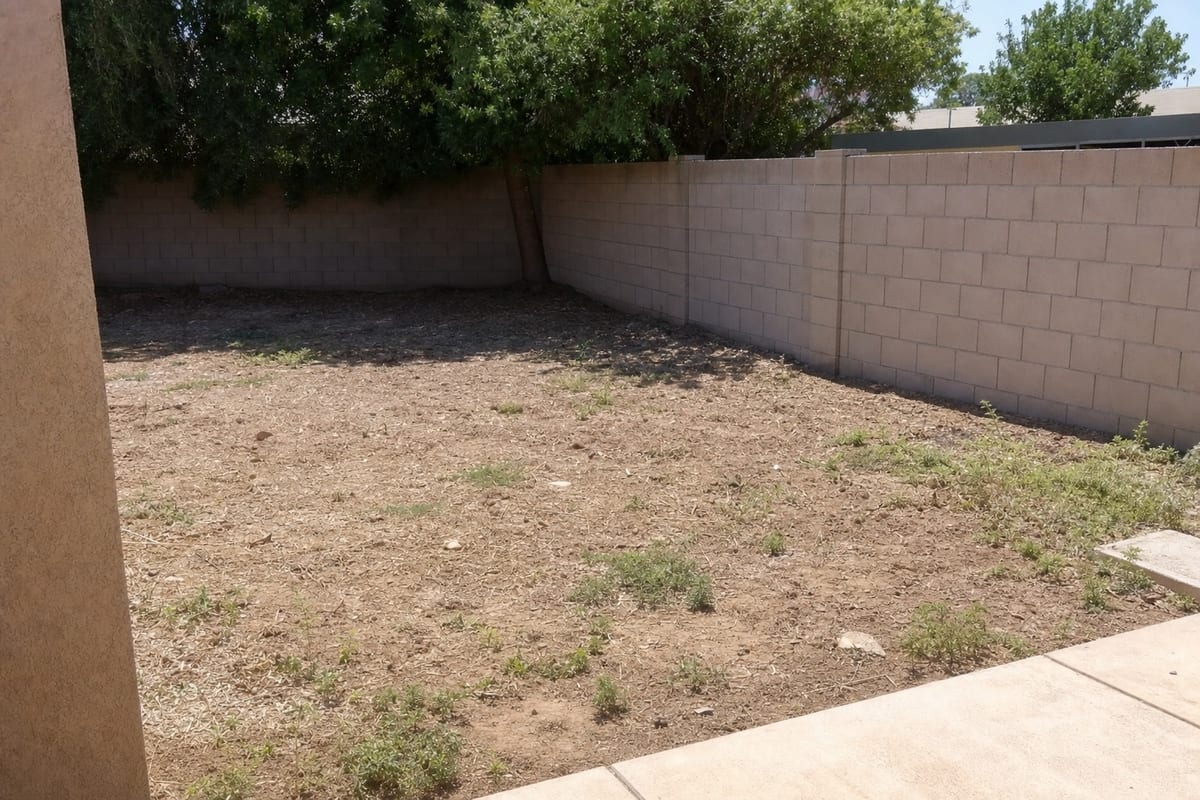
How it works in 3 steps
- 1
Photograph the space
The living room, kitchen, yard or shop front. A normal phone photo is fine.
- 2
Describe the change
"Olive green walls", "artificial grass and a pergola", "a modern white kitchen".
- 3
See it on your photo
A realistic preview on your own space. Try several directions and compare.
What you get
- Visualized on your real space, not a stock photo
- Try several styles and colors before you commit
- Show clients the result before the job starts
- Garden, paint, furniture, flooring and lighting, all by description
Frequently asked questions
How can I visualize a renovation without an architect?
Photograph the space, upload it to NeedPS and describe the change: paint, flooring, furniture or a garden. You get a realistic visualization on the actual photo of your home.
Does the visualization look realistic?
The change is placed into your original photo with its existing light and perspective, so you see how it could look in your space rather than in a catalog.
Can I try interior design ideas on a photo of my room?
Yes. Test wall colors, furniture, lighting and finishes without changing anything for real, and try several versions of the same room.
Can I plan a garden or yard?
Yes. Upload a photo of the yard and describe what you want, such as grass, trees, decking, a pergola or a path, and see it in your own outdoor space.
Is it useful for contractors and designers?
Very. Contractors, gardeners and interior designers use visualizations to show a client the result before the work starts.
Is it free to try?
Yes. You can try NeedPS without an account, and signing up adds free edits. Free edits work on every tool. After that you can buy credit packs or choose a plan in the app, priced by your app store in your local currency.
Ready to try it on your own photo?
Download NeedPS, upload a photo and type what you want. Stuck? Real people answer support.